
Postman → .http converter
Turn an exported Postman Collection v2.0 or v2.1 into plain-text requests you can keep in Git and run in Karve. Folders, variables, headers, common auth, query strings, and supported bodies are preserved. Everything runs in your browser — nothing is uploaded.
In Postman: collection menu → Export → Collection v2.1. Converts automatically — nothing leaves your browser.
Your .http requests will appear here.
Your .http file is ready.
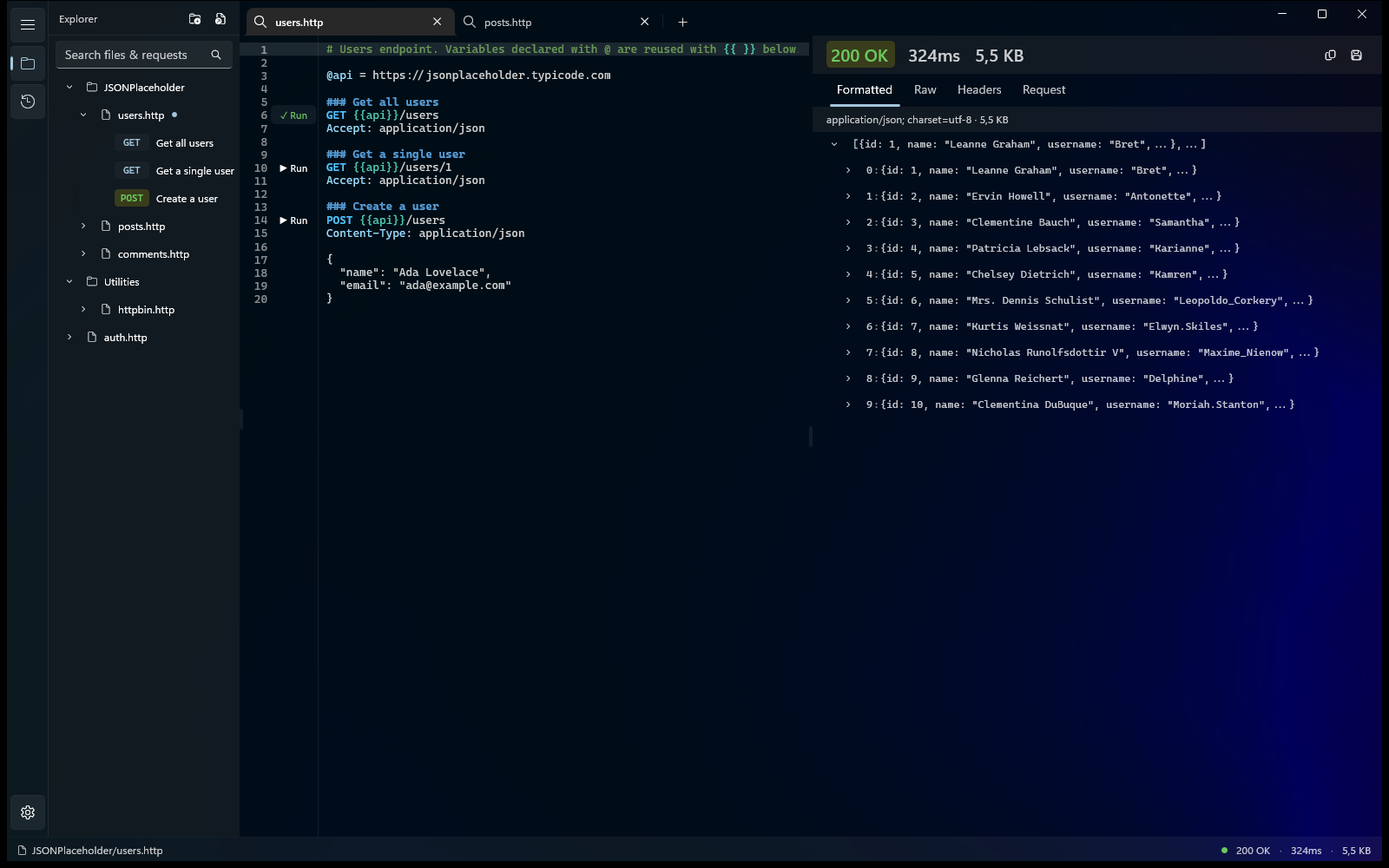
Run, organize, and debug it in Karve — one native Windows workspace for the .http files already scattered across your repos. Files stay where they are and keep working with Git.
- Workspace tree across repos
- Response viewer
- Environment switching
- Searchable history
15-day free trial · No account · No subscription
What is converted
- Nested folders and request names
- Collection variables and {{variables}}
- Headers, query parameters, and raw or URL-encoded bodies
- Bearer, Basic, and header/query API-key auth
- GET, POST, PUT, PATCH, DELETE, HEAD, and OPTIONS
Review conversion notes
Postman scripts, tests, external environment values, multipart/file uploads, and unsupported auth or methods cannot be represented faithfully. The converter flags each one instead of silently inventing behavior.
Validate the generated .http fileCommon questions
How do I convert a Postman collection to a .http file?
Export the collection as Collection v2.1, then drop or paste the JSON above. It's converted in your browser into plain-text .http requests — folders, variables, headers, and supported auth preserved — ready for the VS Code REST Client, the JetBrains HTTP Client, or Karve.
How do I export a Postman collection?
In Postman: open the collection's menu → Export → Collection v2.1 (v2.0 works too). Save the JSON and use it here.
Which Postman features aren't converted?
Scripts and tests, external environment values, multipart/file bodies, and unsupported auth or methods can't be represented in .http. Each is flagged as a note instead of being silently invented.
Can I use the result in VS Code or JetBrains?
Yes — the output is standard .http, the shared format read by the VS Code REST Client, the JetBrains HTTP Client, Visual Studio 2022, and Karve. Migrate off Postman without lock-in.
Run your migrated requests in a native Windows client.
Karve opens the .http files you keep beside your code — no cloud workspace, account, or subscription required.
15-day free trial · No Karve account · No subscription