
OpenAPI / Swagger → .http file converter
Drop an OpenAPI or Swagger (JSON) spec and get one runnable .http request file per operation — with {{variables}}, headers, and example bodies. It all happens in your browser: nothing is uploaded.
Converts automatically — nothing leaves your browser. YAML? Convert it to JSON first.
Your .http requests will appear here.
Your .http file is ready.
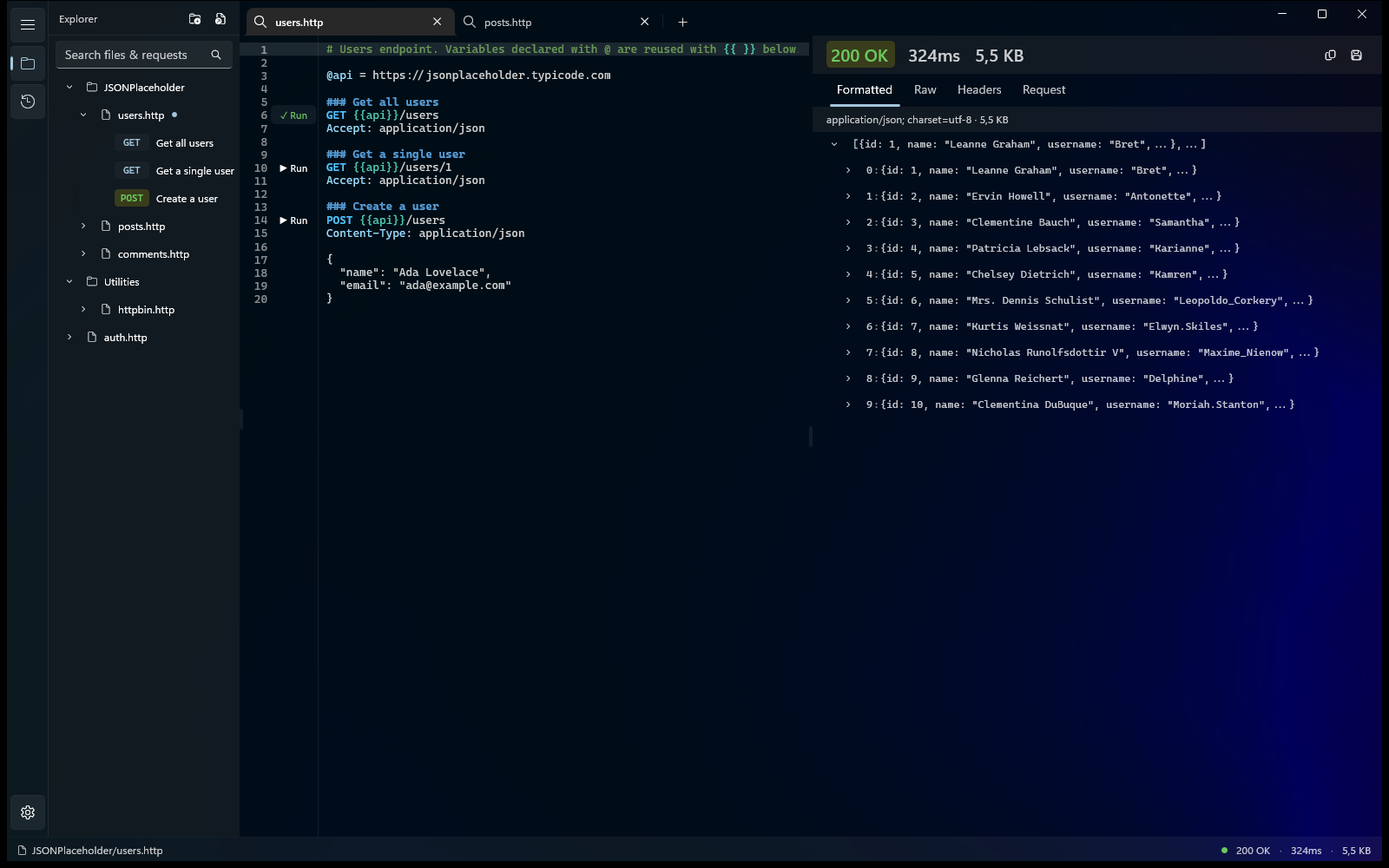
Run, organize, and debug it in Karve — one native Windows workspace for the .http files already scattered across your repos. Files stay where they are and keep working with Git.
- Workspace tree across repos
- Response viewer
- Environment switching
- Searchable history
15-day free trial · No account · No subscription
What it does
- OpenAPI 3.x and Swagger 2.0 (JSON)
- One ### request per operation, named by summary
- Server URL → @baseUrl; path & query params → {{vars}}
- Auth schemes → an Authorization / API-key header
- Example JSON bodies built from the schema (resolves same-file $ref)
- YAML isn't parsed — convert to JSON first (e.g. editor.swagger.io)
Next steps
Save the output as a .http file and open it in Karve, VS Code REST Client, or the JetBrains HTTP Client. Fill in the @vars at the top and run. New to the format? Read the .http guide.
Got a browser capture? HAR → .httpCommon questions
How do I convert an OpenAPI or Swagger spec to .http files?
Drop or paste the JSON spec above — it's parsed in your browser into one .http request per operation, with the server URL as @baseUrl, params as variables, auth headers, and example bodies. Copy it or download openapi.http.
Does it support Swagger 2.0 as well as OpenAPI 3?
Yes — it detects OpenAPI 3.x and Swagger 2.0 automatically and handles the base URL, parameters, security schemes, and request bodies for both.
Can it read a YAML spec?
Not directly — the tool parses JSON only, to stay dependency-free and private. Convert YAML to JSON first (e.g. with the online Swagger editor) and paste the JSON here.
Is my API spec uploaded anywhere?
No. Everything runs in your browser — the spec is never uploaded, which matters when it describes an internal or unreleased API.
Run your .http files natively on Windows.
Karve is a native workspace for the .http files you just generated — organize the whole API and run any request on disk.
15-day free trial · No account · No subscription · No metered requests
25% off until Sep 1