
cURL → .http file converter
Paste a curl command — including your browser's Copy as cURL (bash) — and get a clean .http request file you can save, commit, and run in VS Code REST Client, the JetBrains HTTP Client, or Karve. It all happens in your browser: nothing is uploaded.
Converts automatically as you type — nothing leaves your browser.
Your .http request will appear here.
Your .http file is ready.
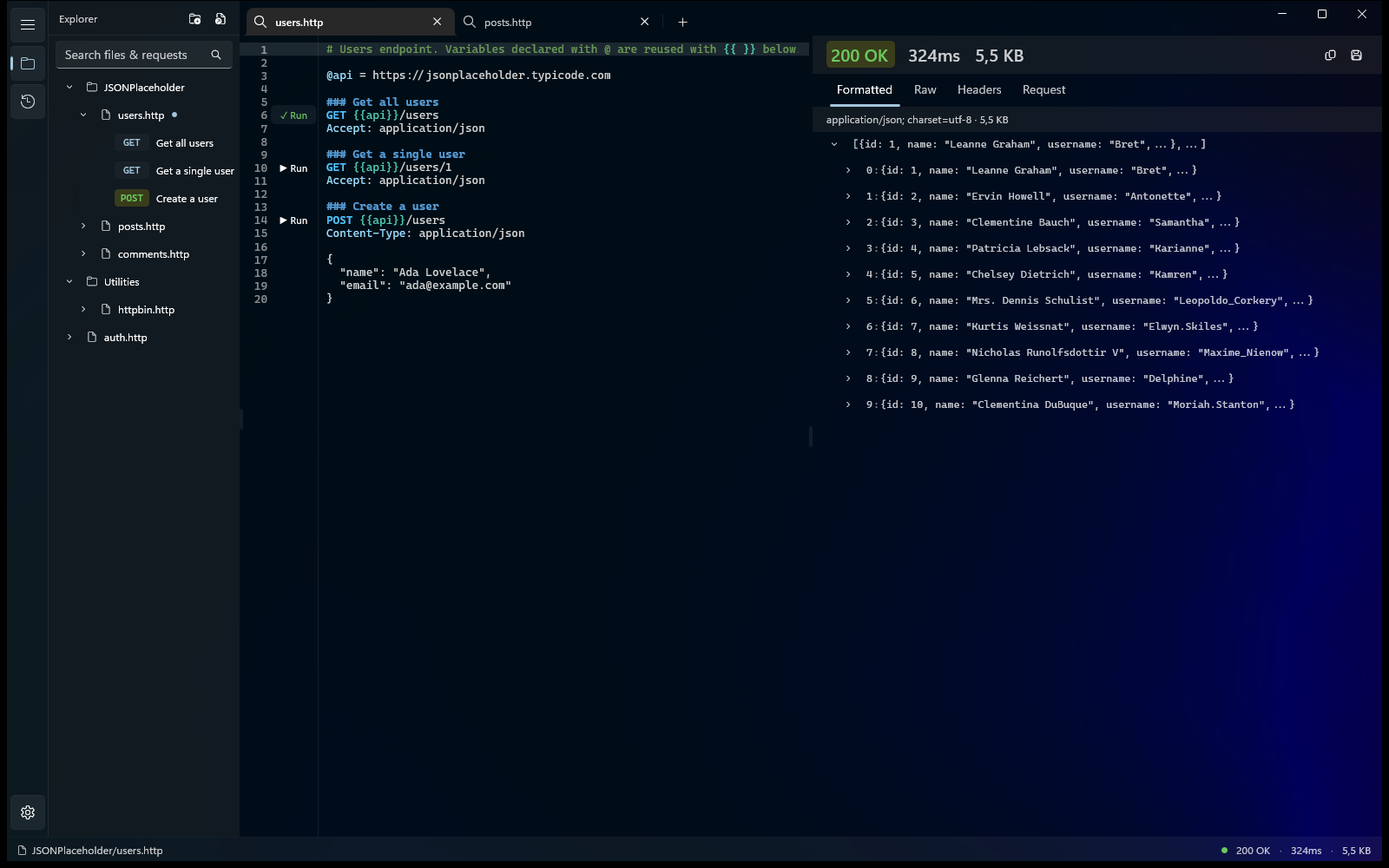
Run, organize, and debug it in Karve — one native Windows workspace for the .http files already scattered across your repos. Files stay where they are and keep working with Git.
- Workspace tree across repos
- Response viewer
- Environment switching
- Searchable history
15-day free trial · No account · No subscription
What it understands
- Methods (-X), inferred as POST when there's a body
- Headers (-H), cookies (-b), user-agent, referer
- Bodies (-d, --data-raw, --json)
- Basic auth (-u) → an Authorization header
- Query building (-G) and multi-line \ / ^ commands
- Noise flags like --compressed, -s, -k are ignored
Next steps
Save the output as a .http file and open it in Karve, VS Code REST Client, or the JetBrains HTTP Client. New to the format? Read the .http guide.
Need the reverse? .http → cURLCommon questions
How do I convert a cURL command to a .http file?
Paste the command above — it's parsed in your browser into a .http request (method, URL, headers, body) you can copy or download as request.http, then open in Karve, the VS Code REST Client, or the JetBrains HTTP Client.
Can I convert a browser "Copy as cURL" command?
Yes. The multi-line Copy as cURL (bash) output from Chrome, Edge, and Firefox DevTools parses cleanly — many -H headers, --data-raw bodies, and a trailing --compressed. Noise flags like -s and -k are ignored.
Does the .http file work in VS Code and JetBrains?
Yes. One .http file works across the VS Code REST Client, the JetBrains HTTP Client, the Visual Studio 2022 .http editor, and Karve — no proprietary export.
Is my cURL command uploaded anywhere?
No. Conversion runs entirely in your browser — nothing you paste, including any tokens or cookies, leaves your machine.
Run your .http files natively on Windows.
Karve is a native workspace for the .http files you just converted — open, organize, and run them on disk.
15-day free trial · No account · No subscription · No metered requests
25% off until Sep 1